免费领取教师福利
若您为此资料的原创作者,认为该资料内容侵犯了您的知识产权,请扫码添加我们的相关工作人员,我们尽可能的保护您的合法权益。


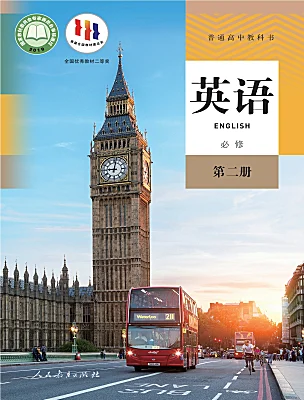
这是一份高中英语人教版 (2019)必修 第二册Unit 3 The internet表格教案,共4页。
课程基本信息
学科
高中英语
年级
高一年级
学期
秋季
课题
Unit 3 The Internet Reading fr Writing
教科书
书 名:人教版教材
出版社:人民教育出版社 9月
教学目标
认识一些生词,如 cyberbully, trll, blg, blgger, blg pst 等,学习问句、祈使句等句型,以及比较、对比等语言表达技巧。
培养网络安全意识,学会辨别危险,能够健康安全上网。
培养总结、分析阅读能力,发散学生写作思维,学习博文的写作框架及语言表达。
教学内容
教学重点:
1.文章的生词。
教学难点:
1. 博文内容的丰富表达
教学过程
教学过程
Step 1:D yu knw what a blgger is?
T : Blg is a place fr us t express ideas n the Internet, and blgger is the persn wh writes it; and blg pst is the article that peple write n the blg.
Step 2: Reading
Where is the blg pst frm?
S: Internet.
设计意图:关注细节,可以帮学生理清篇章思路。
What part des the blg pst include?
S: Title, beginning, bdy, ending, cmment
What's the main idea f the blg pst?
S: Hw d yu stay safe nline and avid bad experiences n the Internet?
What else infrmatin can we get?
T: He is nt an expert, but he is an experienced blgger.
Hw des the write put frward the tpic?
“Hw d yu stay safe nline and avid bad experiences n the Internet?” —— By asking questins.
Tip 2: Ask a questin t intrduce the tpic.
Hw des the authr answer the questin?
Bdy: by giving 3 glden guidelines
What are the guidelines?
Ds and Dn’ts
Tip3:Use imperative sentences(祈使句) t make the language pwerful.
Activity 1: discussin
Discuss with yu partner, what we can’t d in rder t be mre plite.
Hw are the guidelines cnnected?
Tip4:Use linking wrds t express ideas clearly and cherently (连贯地).
Hw can we explain new wrds r key terms in Para.2?
Identity Theft:It is a yur identity. —— explanatin
A Trll:A trll is a persn ... stir up truble nline. —— definitin
A Cyberbully:Like a trll, a cyberbully will use ... . —— cmparisn
Tip 5: Add details and use skills such as explanatin、definitin and cmparisn t make the infrmatin clear and understandable.
What des the authr ask the readers t d?
T: make cmments
Step3:Writing
请根据以下要点以“ Online Shpping Safety”为题写一篇关于如何安全地网上购物的帖子并发表在你的博客上。词数100左右。
1.挑选你熟悉的购物网站;
2.使用较为复杂的密码;
3.勿使用公共电脑购物……
Step4: Draw a mind-map
T cnclude what we have learnt: the structure and the cntent.
tell the main idea—— intrduce a tpic and intrduce neself ——intrduce a tpic and intrduce neself——ask thers t give cmments——thers' cmments
Title:Use as few wrds as pssible t catch the attentin f the readers.
Intrductin:Ask a questin t intrduce the tpic.
Bdy:Use linking wrds t express ideas clearly and cherently (连贯地).
Ending:Use imperative sentences(祈使句) t make the language pwerful.
Cmments:Add details and use skills such as explanatin、definitin and cmparisn t make the infrmatin clear and understandable.
Activity2:write
wrds and phrases
register v. 注册
recrd n. 记录
install v. 安装
enter ur daily life
thrughut the wrld
be familiar with
shpping accunt
Use a website yu are familiar with.
Use strng passwrds.
Dn't use public cmputers.
Step5: Let's plish the passage.
□1. Des the writer tell the reader what he/she knws abut the tpic?
□2. Are the tips and suggestins well rganized?
□3. Has the writer defined the new wrds?
□4. Des the authr include examples, cmparisns, r explanatins?
□5. Des the writer end by asking readers t leave cmments and/r suggestins?
□6. Can yu find any grammar r spelling mistakes?
Sample writing:
Online Shpping Safety
When it cmes t shpping nline safety, I’m sure that I knw ne thing r tw. My net age is 10 years. Here are sme tips fr yu.
First, use the shpping websites yu are familiar with. Dwnlad familiar app r sftware like taba. Secnd, when registering a shpping website, use a strng passwrd and keep it well. Third, never use public cmputers t shp nline, r yur privacy will be recrded in the cmputers. Last, install a firewall t watch ver yur infrmatin. A firewall is a kind f sftware t prtect yur using Internet.
Have yu any gd tips abut shpping nline safely?Yur ideas are welcmed belw!
Step 6: Hmewrk
Check and revise yur draft blg pst and exchange it with yur deskmate t find any spelling r grammar mistakes.
这是一份高中英语人教版 (2019)必修 第二册Unit 3 The internet表格教案,共4页。
这是一份高中英语人教版 (2019)必修 第二册Unit 3 The internet表格教学设计,共4页。
这是一份人教版 (2019)必修 第二册Unit 3 The internet表格教案,共4页。
注册成功
资料篮

在线客服
添加在线客服
获取1对1服务
官方微信
关注“教习网”公众号
打开微信就能找资料
赛课定制
添加在线客服
获取1对1定制服务
职称咨询
添加在线客服
获取1V1专业指导服务

免费福利

.png)
.png)